Routing keys are now available on Zorveus
Routing keys are now available on Zorveus
You can now keep one routing key in your backend and choose a plan's inference key on each request. Each selected key keeps its own allowed models, allowances, and billing settings
If your product has Free and Pro plans, you might already use a separate inference key for each. Routing keys group those keys under one secret, so you can choose a plan without swapping API keys in your application
Free and Pro, one backend key
For example, your Free key might have a $1/day allowance and your Pro key a $10/day allowance. Give them the selectors free and pro, then group them in a routing key
In this dashboard example, Prod keys is the routing key. It has two routes, and free is the default
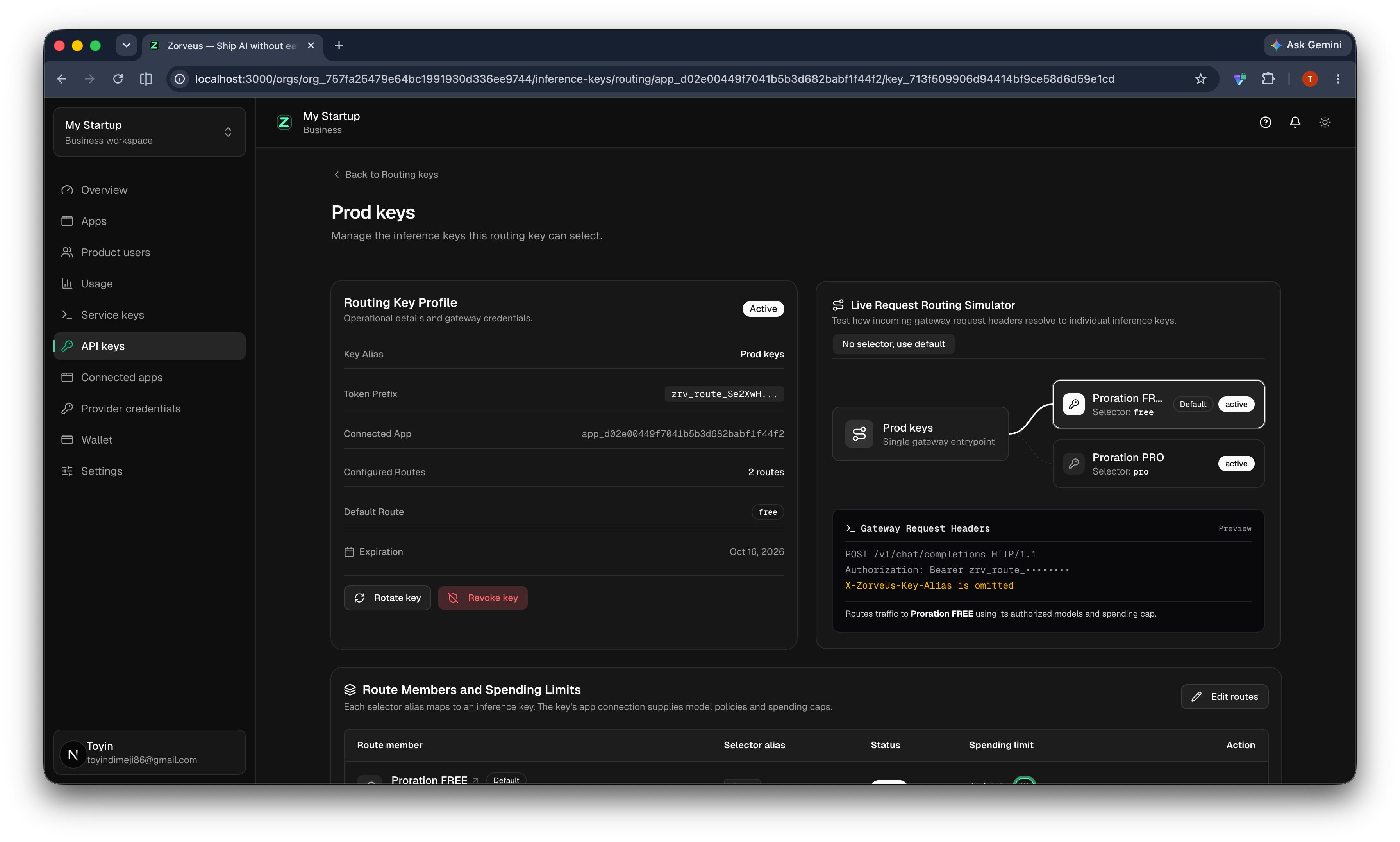
The dashboard previews which inference key handles a request. Click the image to view it at full size
A request without a selector uses Free. A request with the selector pro uses Pro's allowed models and spending limit
The individual inference keys still exist. Your backend stores the routing secret, which starts with zrv_route_
Select the plan on each request
Choose the selector from the customer's subscription in your backend. Keep the same external user ID when their plan changes
This request selects Pro. Set ZORVEUS_ROUTING_KEY to your routing secret and replace YOUR_ALLOWED_MODEL with a model that the Pro key allows
You can send X-Zorveus-Key-Alias in the header or metadata.key_alias in a JSON body. If you send both, the body value takes precedence
Omit both selectors to use the configured default. Without a default, a selector is required. An invalid selector or an inactive selected key fails without choosing another route
Keep the routing secret in your backend, and choose the plan from trusted subscription data. A customer must not be able to select Pro by changing a request from their browser
Configure the routes in the dashboard
Open API keys in your Business workspace. You can group existing keys or create the plan keys and a routing key together. Assign each route a selector, configure its allowed models and spending limit, and choose an optional default
The routing-key page shows the routes, spending limits, and a request preview. You can edit the group or rotate the routing secret there. Rotating an individual inference key preserves its route selector
If your product prorates allowance upgrades, the same allowance-change policy applies when a request selects a different plan connection
The routing-key guide covers dashboard setup, request examples, and default behavior